
-
We've updated our submissions guidelines to address AI generated content, take a look at them here.
You are using an out of date browser. It may not display this or other websites correctly.
You should upgrade or use an alternative browser.
You should upgrade or use an alternative browser.


LJ Sonik updated Ultimate Zone Builder with a new update entry:
v3.0.0.4736
Read the rest of this update entry...
v3.0.0.4736
- Added missing UDBScripts/Scripts/ folder
- Made the map options window clearer about level marker names
Read the rest of this update entry...
LJ Sonik updated Ultimate Zone Builder with a new update entry:
v3.0.0.4736 hotfix
Read the rest of this update entry...
v3.0.0.4736 hotfix
Hotfix:
- Fixed some rendering toggles not taking effect in Visual Mode
Read the rest of this update entry...
LJ Sonik updated Ultimate Zone Builder with a new update entry:
v3.0.0.4737
Read the rest of this update entry...
v3.0.0.4737
- Fixed some rendering toggles no longer working in Visual Mode
Read the rest of this update entry...

Greg
Team SRB2 Adventures
Again?LJ Sonik updated Ultimate Zone Builder with a new update entry:
v3.0.0.4737
Read the rest of this update entry...
Oh yeah, sorry for the confusion lol the build was broken for some reason so I had to reupload the new version a second time.Again?

GHShuffle
Sonic Shuffle Propagandist.
Thanks for that seems like visual mode works for me now on Linux lol.UZB has been updated on the gitlab repository. Might want to try building and test again

SpaceOddity
Regular Hedgehogs 2 is best game
So I'm just starting UZB, and I had rendering issues with some textures from the Community Assets pack. Every time I add them to a surface and boot it up in-game, the textures come out red, or not at all in the case of water. Any clue what could be causing this error? Added some screenshots for comparison
Attachments
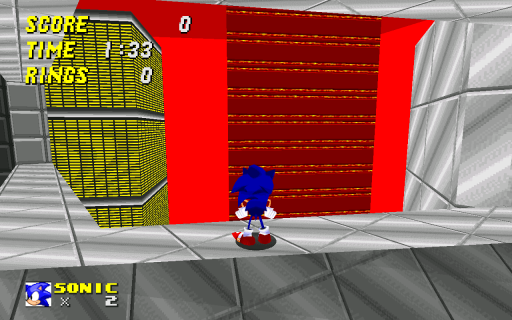
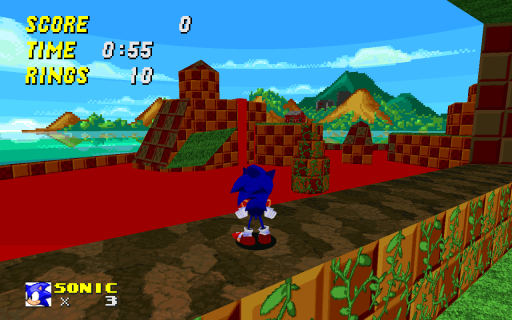
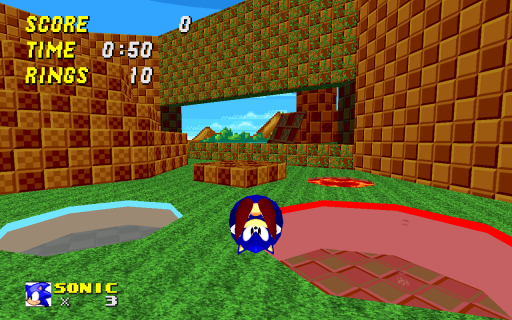
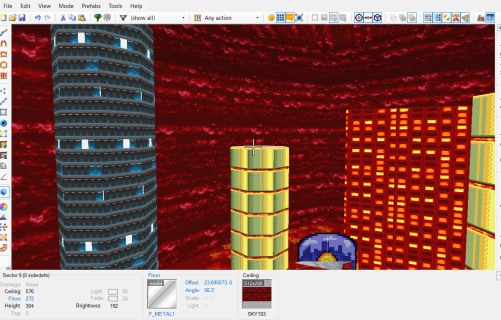
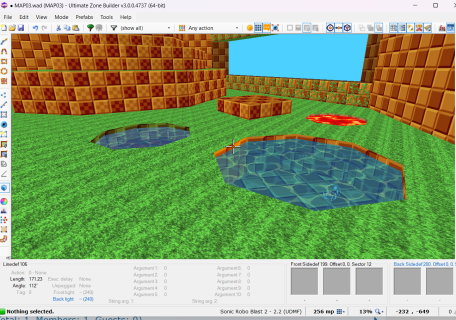
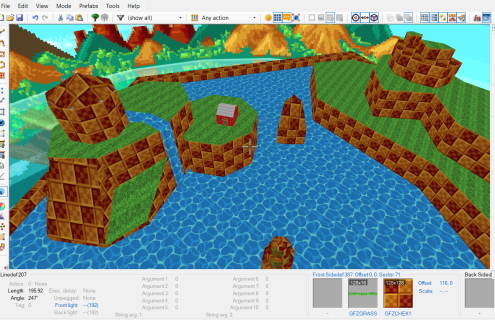

If you have checked the "Exclude this resource from testing parameters" box when adding the texture resource, make sure to uncheck it and then try againSo I'm just starting UZB, and I had rendering issues with some textures from the Community Assets pack. Every time I add them to a surface and boot it up in-game, the textures come out red, or not at all in the case of water. Any clue what could be causing this error? Added some screenshots for comparison


Mr Beagle
Member
The W key will get you back out of visual mode.i need a tutorial, or just the controls. On my life I cant even get out of the visual mode, its so dark and i cant even move my mouse, i have no idea what im doing. (edit: i started pressing random buttons and it helped i guess)
The hotkey editor (which doubles as a guide) can be found in the preferences, and for optimal use you will want to assign keys to various operations that do not have them such as the range of linedef/vertex picking operations for sloping along with texture alignment.
Also keep in mind the presence of other keys such 'G' for enabling gravity in visual mode (since that can be pressed by accident and might lead to confusing situations for new mappers).
Now about it being dark, the default draw distance is actually pretty low by SRB2 mapping standards, you can increase it in the preferences.

Hi! Sorry for the late reply; yes, I do absolutely plan to add proper longsprite support whenever I get back to working on UZB, especially since the long term plan is to make longsprites the only available method.Hello! UZB is awesome in multiple aspects. I wanted to ask, are there plans in implementing longsprite support for UZB? Currently any objects that use longsprites show up as a question mark and it would improve the UZB workflow to be able to see the sprites of these objects.
LJ Sonik updated Ultimate Zone Builder with a new update entry:
v3.0.0.4749
Read the rest of this update entry...
v3.0.0.4749
- Fixed frequent crashes when performing undo/redo operations in Visual Mode, especially after a pasting operation
Read the rest of this update entry...

LJ Sonik updated Ultimate Zone Builder with a new update entry:
v3.0.0.4759
Read the rest of this update entry...
v3.0.0.4759
- Made scripts appear in the command palette
- Fixed selection getting cleared after running a script in Visual Mode
- Massively updated UDBScripts/ folder
Read the rest of this update entry...
LJ Sonik updated Ultimate Zone Builder with a new update entry:
v3.0.0.4759
Read the rest of this update entry...
v3.0.0.4759
- Made scripts appear in the command palette
- Fixed selection getting cleared after running a script in Visual Mode
- Massively updated UDBScripts/ folder
Read the rest of this update entry...

Who is viewing this thread (Total: 0, Members: 0, Guests: 0)
Share: