- What permissions do you give others to modify and/or maintain your submission?
- Modify: ASK ME - Maintain: YES - Others must ask me for permission before modifying my submission or use it in their own work, and I reserve the right to say no for any reason. I do, however, give permission for my entire submission to be maintained by others.
- I made sure my file(s) follow the Submissions Guidelines
- Yes
- I named my file(s) correctly (see Filename Conventions)
- Yes
Heyo!
So if you're anything like me you have a Mac, Maybe it's an I Mac, Mac Mini or even just the good old MacBook. (Pro Or Air) But let's say you want to make levels for SRB2 or heck even Kart, The thing is, you can't...
But I found a way!
First things first we need a few things, First we need Ultimate Zone Builder. (Duh)
Next you need to be on at least MacOS 14.0, the tool we'll use doesn't support Ventura or lower so make sure to update your system!
Install Sikarugir, the tool I mentioned by following the readme on the repo, I'd recommend installing it with homebrew, that's what I did.
Now we can start installing Zone Builder! Launch Sikarugir Creator in your Applications folder, that's where it was installed to. choose the engine at the top of the list, I only tested that one so you're on your own if you use a different one.So if you're anything like me you have a Mac, Maybe it's an I Mac, Mac Mini or even just the good old MacBook. (Pro Or Air) But let's say you want to make levels for SRB2 or heck even Kart, The thing is, you can't...
But I found a way!
First things first we need a few things, First we need Ultimate Zone Builder. (Duh)
Next you need to be on at least MacOS 14.0, the tool we'll use doesn't support Ventura or lower so make sure to update your system!
Install Sikarugir, the tool I mentioned by following the readme on the repo, I'd recommend installing it with homebrew, that's what I did.
Now click create, and name it something like UBZ and put it in any folder you'd like!
Once it's done click launch it and let's configure it! you'll be met by this window when launching it.
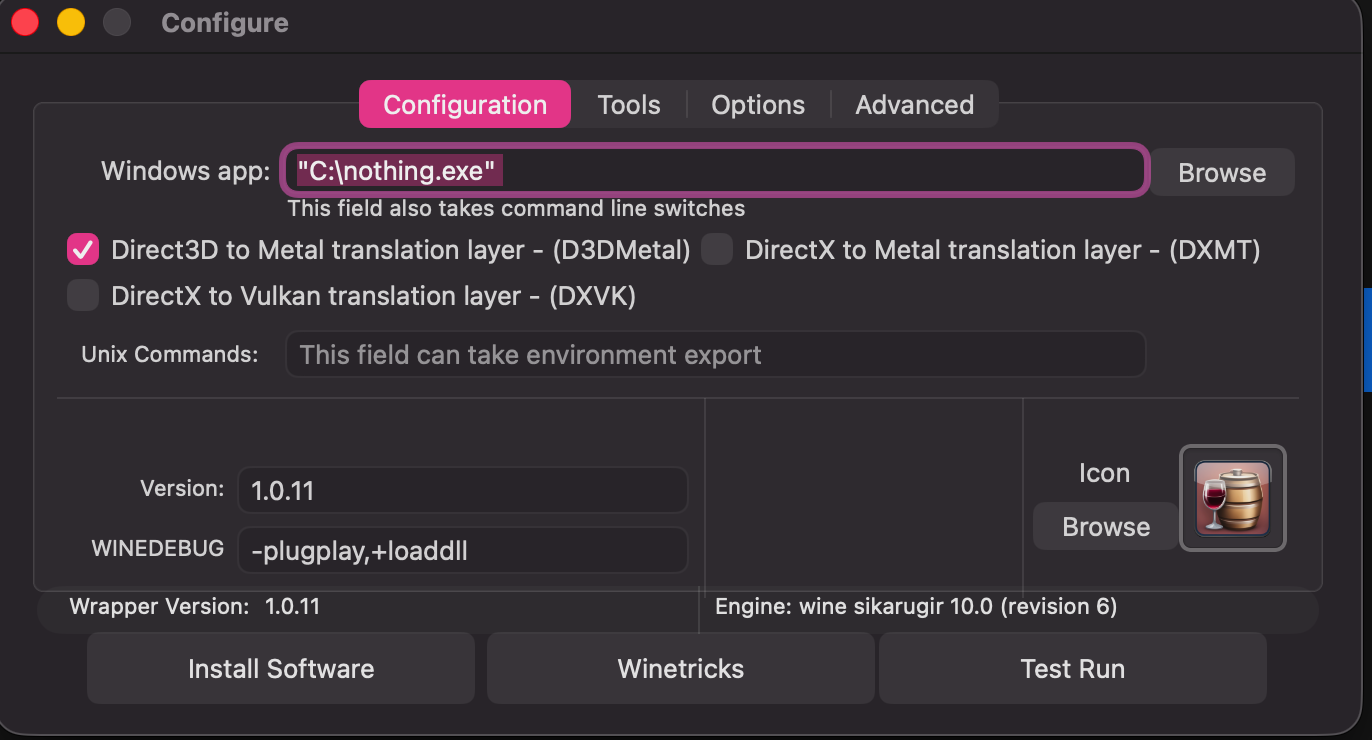
You can choose an icon but leave all the settings at default and click install software, click choose setup executable and find the zone builder setup exe we downloaded earlier. now you will be shown the setup, just click next on everything and uncheck run zone builder after it's finished, we still need to do something!Once it's done click launch it and let's configure it! you'll be met by this window when launching it.
choose this option after running the setup as it's the actual exe that runs zone builder.
Now test it to see if it works. (it should)
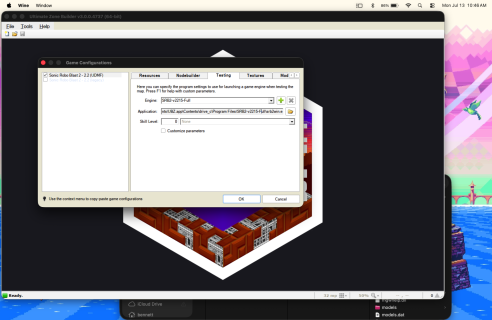
Great! You've installed Ultimate Zone Builder on MacOS! Just add srb2.pk3 as a resource and you're good to go! well, not yet... If you want to test your shiny new stage, you can't just point it to Sonic Robo Blast 2.app to test it from zone builder. For that, we need the Windows version! Download the windows zip file from here and extract it. find your uzb app and right click it and click show package contents, now go into the drive_c folder and place the extracted srb2 folder there. Now Re-open Ultimate Zone Builder and go to tools, game configurations then go to the testing tab and input the path to the srb2 exe.
Ok! Zone Builder is Installed on MacOS for real now! Now if you're new to level making I'd recommend starting with these tutorials:
Happy level making! And remember you're welcomed to Releases!